

Every Irrelevant Click Costs You Money
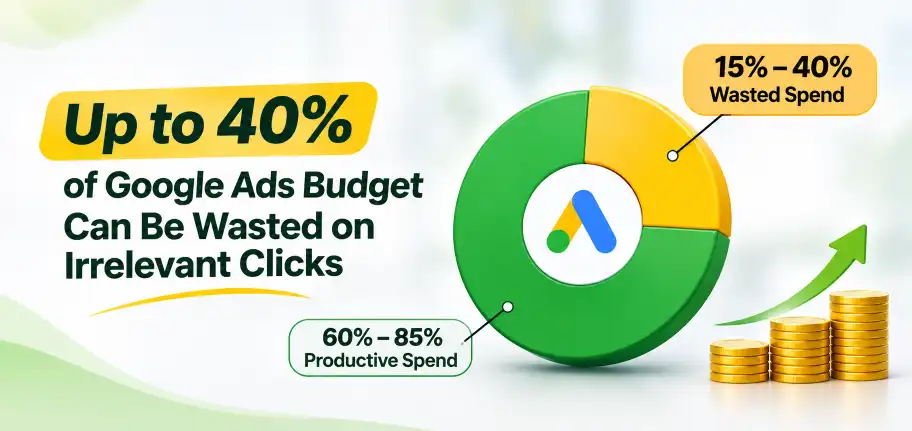
WordStream’s widely cited analysis estimates the average Google Ads account wastes about 20% of its budget on irrelevant clicks, and other agencies put the range at 15% to 40%. Negative keywords are the simplest fix. Combined with smart SEO keyword research and a focused website landing page, they help every rupee reach people ready to buy.
What Negative Keywords Do For Your Ads
A negative keyword tells Google which searches should never trigger your ad. If you sell premium sarees, words like “free,” “cheap,” or “jobs” bring clicks that will never become orders. Blocking them cuts wasted ad spend without touching the searches that matter.
Google also gives you plenty of room to work with. Most small accounts never come close to these limits, so the real task is using negatives consistently, not running out of space.
- Account level: up to 1,000 negative keywords
- Shared lists: up to 20 lists with 5,000 negatives each
- Performance Max: up to 10,000 negatives per campaign since March 2025
- Google says negatives are still respected when AI Max is on
- Negatives don’t match close variants, so add plurals and misspellings yourself
Start learning journey with Bigpage

Start With The Search Terms Report
Your keywords are what you bid on, while search terms are what people actually typed. Review the search terms report weekly. For one industrial safety manufacturer, ads about preventing truck falls showed for waterfall searches. Fixing targeting and negatives cut spend 44%, per Digital Third Coast.
- Open the Search Terms report every week
- Sort by cost to find expensive junk first
- Add irrelevant queries as negatives
- Note terms that bring leads and keep them
- Look at the last 30 days before making changes

Block The Usual Suspects First
Some words rarely bring buyers. Veterans Movers had no negatives and bid on broad generic terms. After tightening match types and adding negatives, it reached 90 leads at $27 each with a 44% conversion rate, according to Joe Balestrino’s case study.
- Jobs, careers, salary, and hiring
- Free, cheap, and discount (for premium offers)
- How to, DIY, tutorial, and PDF
- Competitor names you don’t want to bid against
- Cities outside your service area

Choose The Right Match Type
Negative keywords have three match types, and they work differently from regular keywords. Google confirms negatives don’t match close variants, so blocking “saree” won’t block “sarees” unless you add both. Use exact match for one bad query and phrase match for repeated patterns.
- Broad: blocks searches containing all your words, in any order
- Phrase: blocks the words in that exact order
- Exact: blocks only that exact search
- Add plurals and common misspellings separately
- Test new negatives before applying them everywhere

Organise With Lists And Account-Level Negatives
Use account-level negatives for terms that are wrong everywhere, shared lists for themes, and campaign negatives for single offers. Opascope reports a lifestyle brand spending $1.4 million a month cut its ad-spend-to-revenue ratio from 70% to 35% in 12 months, with negatives one lever among several.
- Account level: terms wrong for your business everywhere
- Shared lists: themes like jobs, DIY, or free
- Campaign level: exclusions for one offer
- Reserve your 1,000 account slots for universal terms
- Name lists clearly so your team can find them

Don’t Block Your Own Customers
Over-blocking costs sales too. Blocking “free” also hides searches like “free delivery saree shop.” Flawless Painting moved from over $1,000 per acquisition on radio to $63 on Google Ads using a tight negative keyword list from day one, according to Goodfellas Tech.
- Check conversions before blocking a risky-looking word
- Start with exact match when unsure
- Use brand exclusions for your own brand name, as Google recommends
- Review blocked themes every quarter
- Keep a changelog so you can undo mistakes

Keep It Up As Google Automates
Google’s matching keeps getting broader, so regular checks matter more. Opascope suggests a routine of weekly search term reviews, monthly list audits, and quarterly match type sweeps. Performance Max negatives apply to Search and Shopping inventory only, so they can’t control everything.
- Weekly: review your search terms report
- Monthly: audit your shared negative lists
- Quarterly: sweep match types and remove outdated negatives
- Remember Performance Max negatives reach only Search and Shopping
- Track cost per lead, not blocked impressions
Cut Your Google Ads Waste Starting This Week
Follow this checklist to find wasted searches, block them safely, and move your budget toward real customers ready to buy.
- Export 30 days of your Search Terms report
- Sort by cost and mark irrelevant queries
- Add starter negatives: jobs, free, DIY, and competitors
- Create shared lists and an account-level list
- Check conversions before blocking risky words
- Set a weekly 15-minute review

Conclusion
Negative keywords are the easiest way to stop paying for clicks that will never become customers. Review your search terms weekly, block carefully, and judge results by cost per lead, not impressions.
Small, regular changes protect your Google Ads budget and keep your campaigns working for you.
Bigpage can help you to grow your business digitally through well-defined website content, building an NGO Website, Dynamic website for you to enhance your online presence and get more clients through various Facebook, Instagram Ads

Agrodut is a managing director and seasoned digital marketing specialist passionate about SEO. With 15 years of experience, he has helped numerous businesses elevate their online presence and achieve higher search engine rankings. A results-driven professional, Agrodut Mondal stays updated with the latest SEO trends and best practices to ensure cutting-edge strategies. When not optimising websites, he enjoys exploring new technology and sharing insights through writing and speaking engagements. Connect with Agrodut for expert guidance on unlocking your website’s full potential in the digital.